
Every commercial break, a better game.
TappedIn puts up to four live games from your own TV service in one window. When a game goes to a commercial break, its screen jumps to the best game that's live right now, and comes back the moment play resumes.
On a Mac? TappedIn is Windows-only for now.
TappedIn is Windows-only for now. There's no Mac version yet. If you have a Windows PC, download it there.
TappedIn is a desktop app for Windows. Send yourself the link and open it on your PC: this page
Release notes for
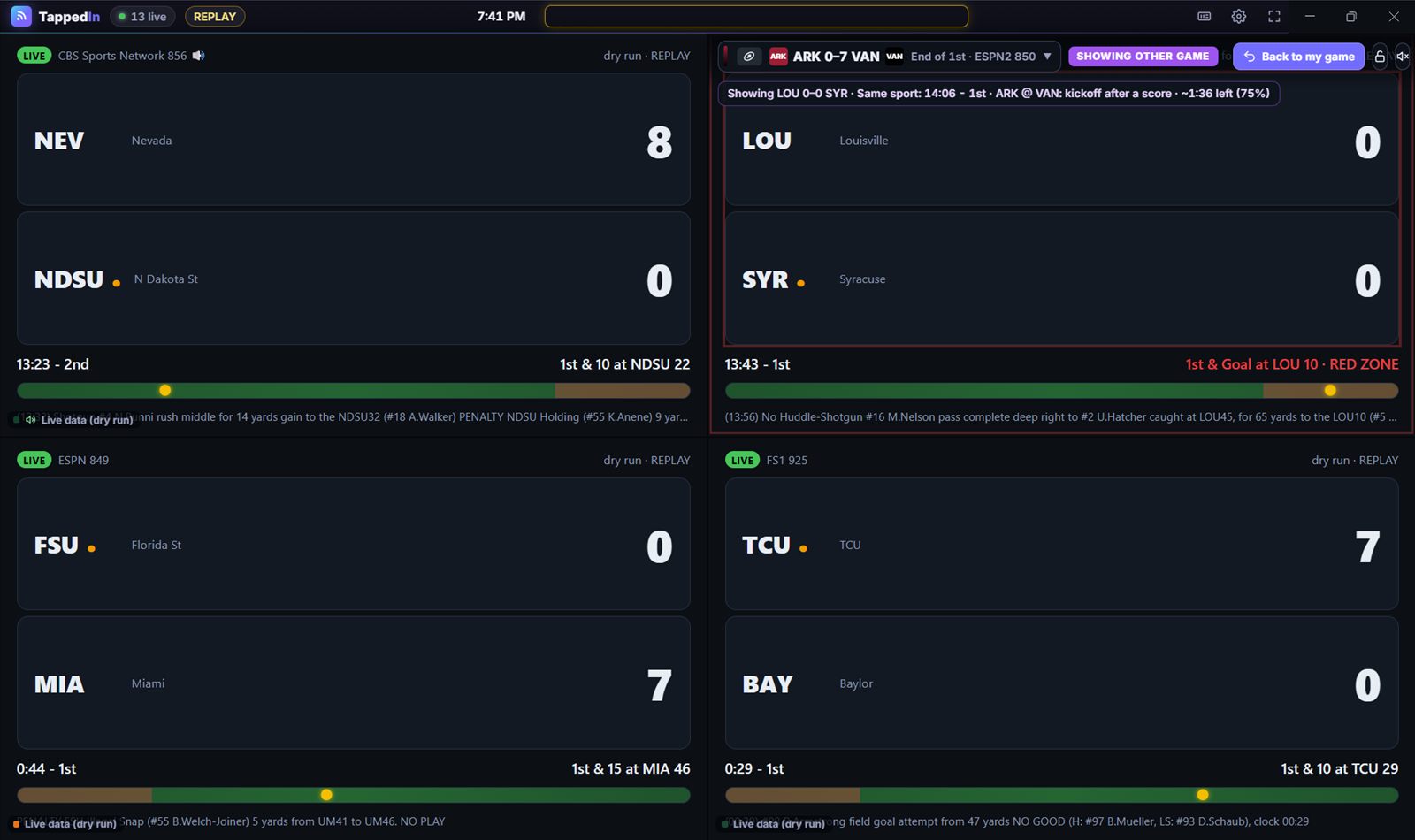
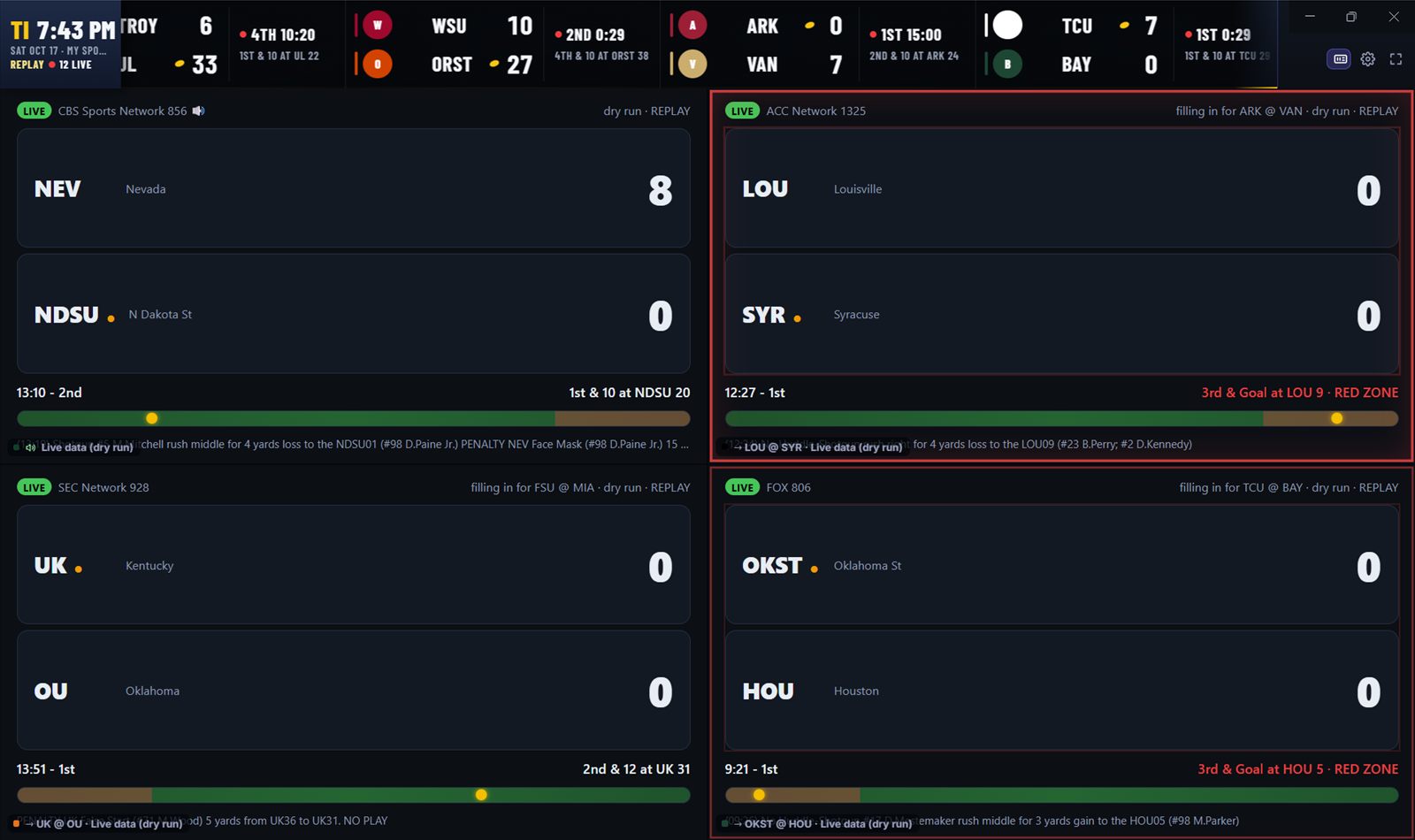
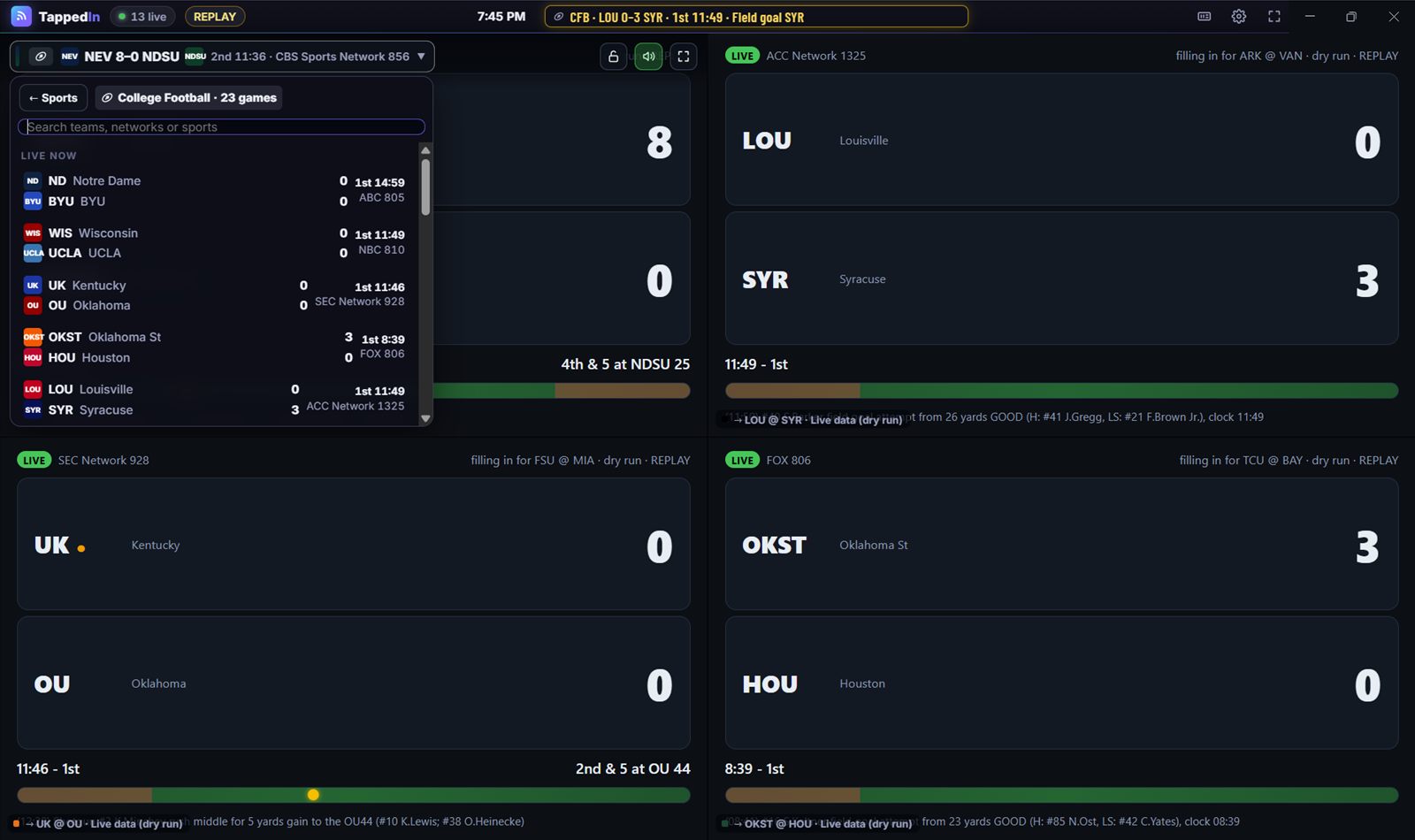
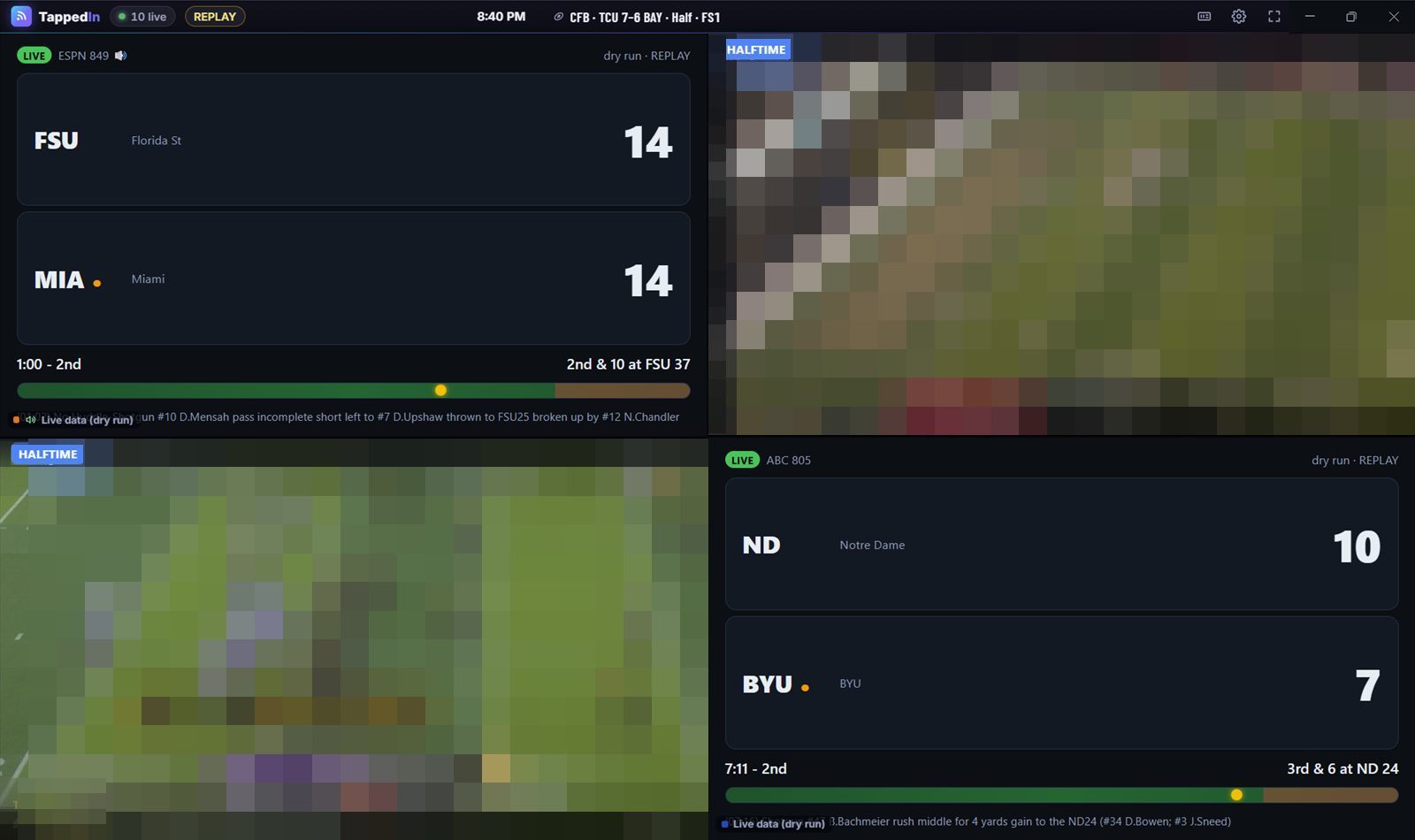
Your own red zone channel
TappedIn follows ESPN's live game data and changes channels on your TV service the way you would, only faster and without missing a snap.
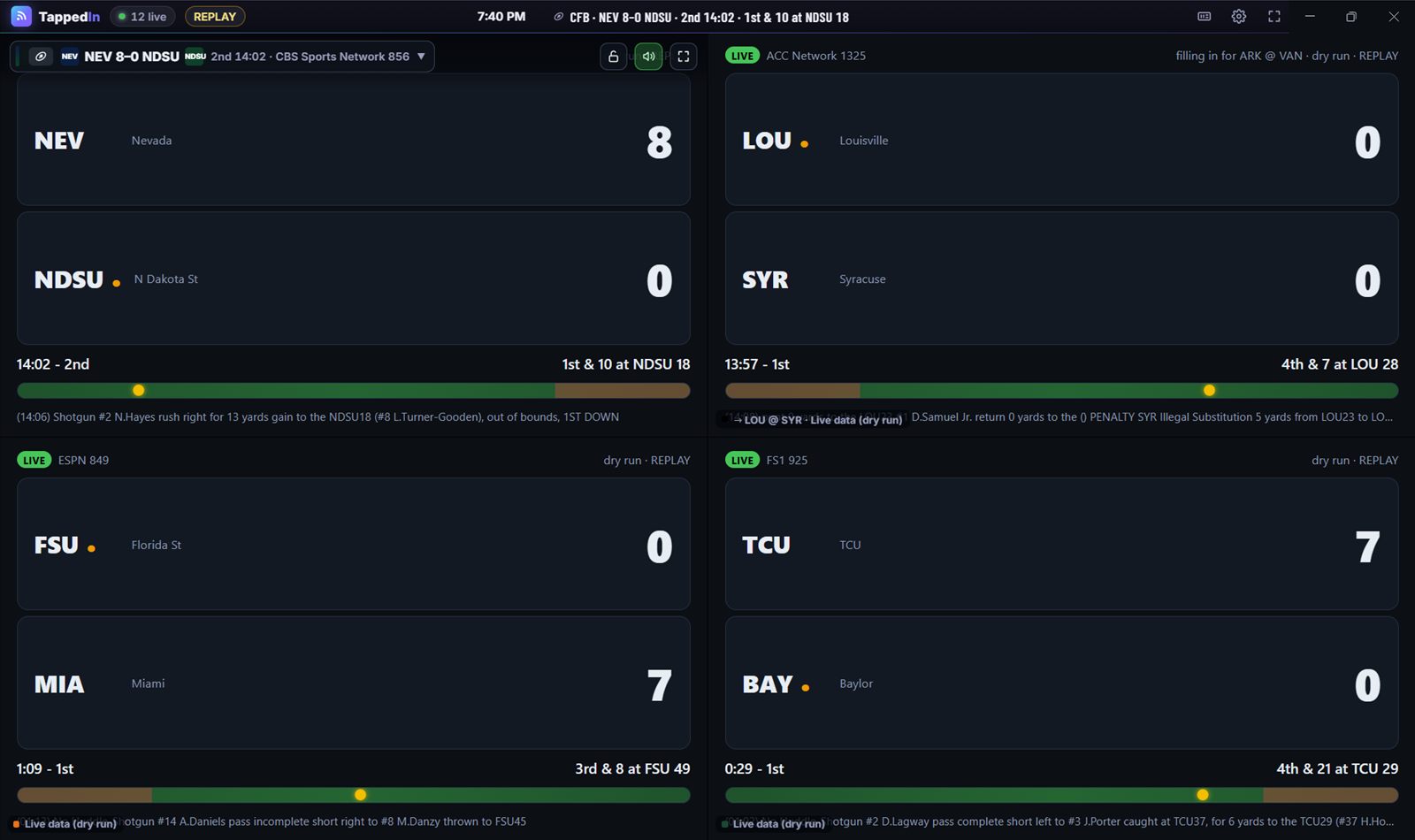
Up to four games, one window
Each screen follows its own game, and each can be a different sport: college football on two screens, the NHL on the third, the NBA on the fourth. Pick from today's games, search by team or network, and see at a glance which ones your lineup carries.
Commercial break? Switch.
When a game goes to a long break (end of a quarter, a TV timeout, a kickoff after a score), its screen fills in with the most exciting live game. It goes back as soon as your game shows a new play. Ordinary stoppages like incompletions and penalties never trigger a switch.
Showing LOU 0–0 SYR · Same sport: red zone · ARK @ VAN: kickoff after a score · ~1:36 left
The best game, in three tiers
When a screen needs a fill-in, TappedIn looks for one in this order, and every switch tells you which tier it came from.
- Same sportRed zone, power play, clutch time, match point: that sport's biggest moments first.
- A sport another screen is watchingRanked by a 0–100 excitement score: how close, how late, and what's happening.
- Any sport you followA tight soccer match is a great way to wait out a football timeout.
Halftime highlights
At halftime or a hockey intermission, the screen plays a highlights reel (same sport first) and a scores board while the game keeps going underneath, so the second half starts instantly.
Game over? Pick the next one
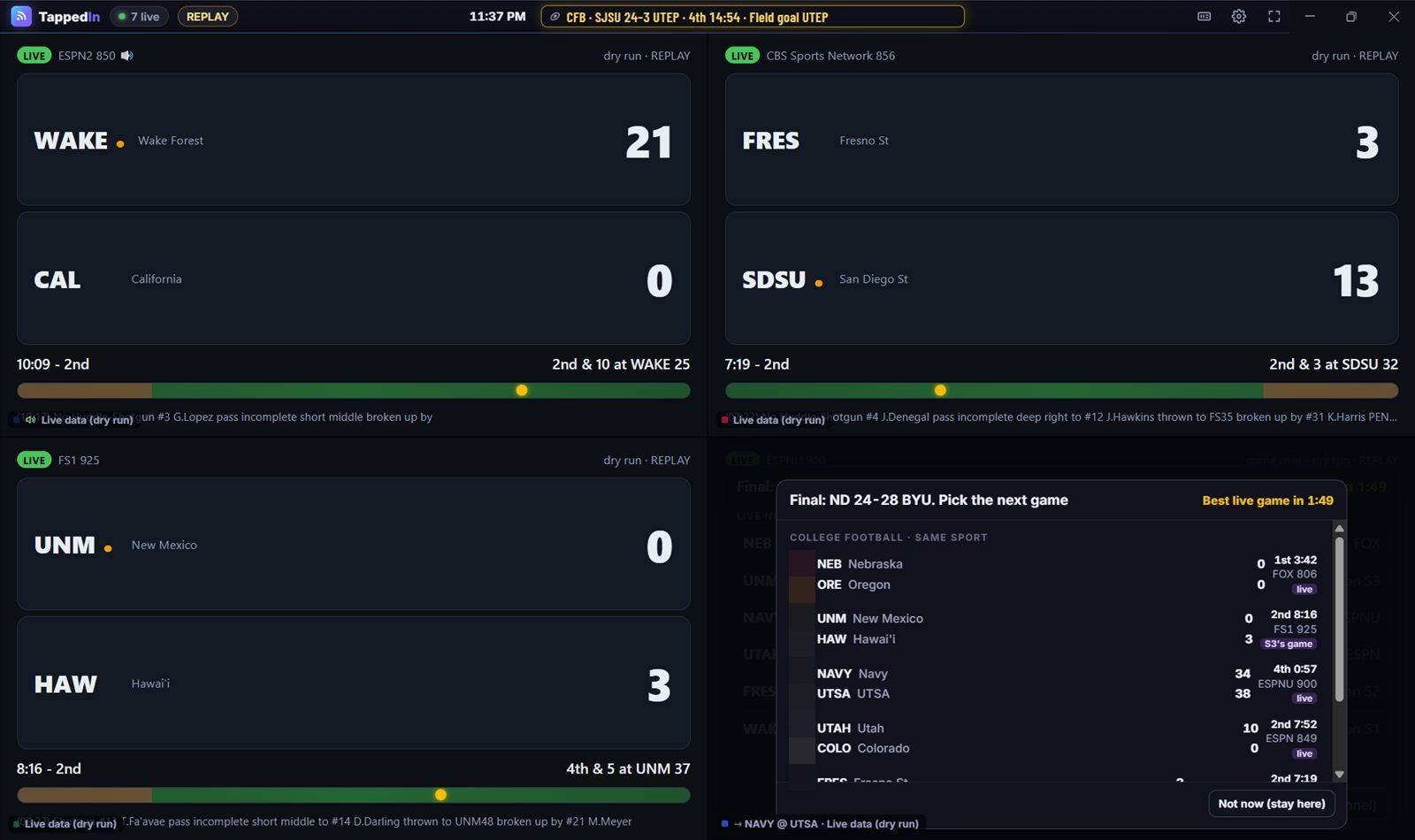
When a game ends, a picker appears in that screen with what's live now, same sport first, and a countdown. Pick one, or let TappedIn put the best live game on for you.
Fullscreen any screen
Double-click a screen (or press 1–4) to fill the window. The others keep playing and switching behind it, so going back is instant.
Big and mini tickers
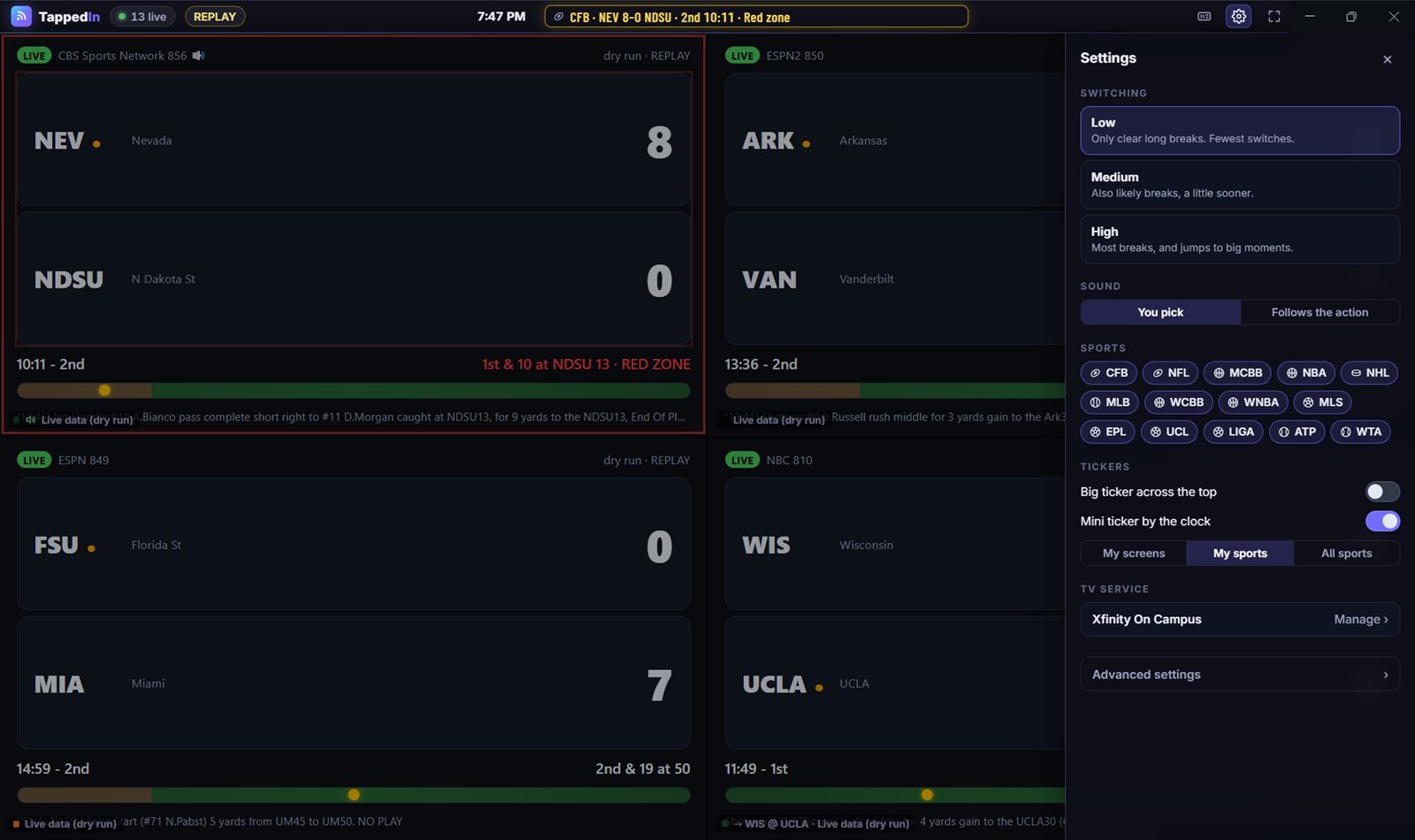
A scrolling score ticker across the top for every sport, or a one-line mini ticker by the clock that jumps to scores and big moments.
You stay in control
Lock a screen so it never switches, hit "Back to my game" any time, and choose whose sound you hear. Switching sensitivity goes from Low (only clear long breaks, the default) to High (most stoppages, and jumps to big moments), for every sport or one at a time.
Supported sports
Each sport has its own break detector, built from that sport's measured stoppages, so TappedIn knows a basketball TV timeout from a foul shot.
Football
College football · NFL
Switches for: Ends of quarters, kickoffs after scores, injuries, the NFL's two-minute warning, and timeouts once the quiet shows a TV break.
Hot moments: Red zone, two-minute drill, overtime
Basketball
Men's college basketball · Women's college basketball · NBA · WNBA
Switches for: Official TV timeouts and full timeouts, ends of quarters. Never fouls, free throws or baskets.
Hot moments: Crunch time and clutch time, overtime
Hockey
NHL
Switches for: TV timeouts and the end of regulation. Intermissions get the highlights reel.
Hot moments: Power play, a one-goal game late, overtime and shootouts
Baseball
MLB
Switches for: Between innings, at Medium or High sensitivity. At Low, baseball screens stay put.
Hot moments: No-hitter in the 6th or later, bases loaded, extra innings
Soccer
MLS · Premier League · Champions League · La Liga
Switches for: Never while the ball is in play (soccer has no commercials then). Halftime gets the reel. Soccer makes a great fill-in for other sports' breaks.
Hot moments: Close game from 75', stoppage time, extra time, shootouts
Tennis
ATP · WTA
Switches for: Set breaks, plus changeovers at Medium or High. Rain delays and suspensions at every level.
Hot moments: Match point, set point, break point, tiebreaks, deciding sets
Works with your TV service
TappedIn plays your service's own web player, so you need your own account: campus TV that comes with your housing, or a TV service you pay for at home.
- Xfinity On CampusStableCampus TV · streams at once: 1 documented
- Apogee Stream2ExperimentalCampus TV · streams at once: setup measures it
- Cox Contour on CampusExperimentalCampus TV · streams at once: 1 documented
- SpectrumUExperimentalCampus TV · streams at once: setup measures it
- Cox ContourExperimentalHome TV service · streams at once: setup measures it
- Sling TVExperimentalHome TV service · streams at once: setup measures it
- Spectrum TVExperimentalHome TV service · streams at once: setup measures it
- Xfinity StreamExperimentalHome TV service · streams at once: 5 documented
- YouTube TVExperimentalHome TV service · streams at once: 3 documented
Stable: used with a real account. Experimental: built from the service's documentation and not yet tested with a real account. If it doesn't work, the app's Diagnostics can usually fix it: fix your service. Not supported yet: Hulu + Live TV, Fubo, DIRECTV.
How it works
Setup takes about two minutes the first time.
Pick your service
Choose your TV service, or search for your school to find its campus TV.
Sign in on its own page
TappedIn opens your service's real sign-in page. Your school's SSO and Duo work as usual.
Choose your games
TappedIn checks your channels and how many streams your plan plays, then picks great games to start. Change any screen whenever you like.
Watch
Sit back. Breaks, halftimes and finals take care of themselves.
Questions
Do I need a subscription?
Yes. TappedIn doesn't provide any channels. It plays the channels you already get from your own campus TV service (for example Xfinity On Campus through your housing) or a TV service you subscribe to. Games on networks your lineup doesn't carry are greyed out and never picked.
Is my password safe?
TappedIn never sees your password. You sign in on your service's own page, in a window TappedIn opens, exactly as you would in a browser. TappedIn never types, stores or sends your password, and it never accepts terms or agreements for you. Only the browser's normal sign-in cookies are kept, on your computer, separately for each service.
Why didn't it switch during a commercial?
ESPN's live data doesn't say when a commercial starts, so TappedIn forecasts how long each stoppage will last from real stoppages measured in recorded games. It's a very good guess, not a certainty: on Low (the default) it catches about 80% of long college-football breaks while skipping short ones, and ESPN's data runs about 25 seconds behind. Choose Medium or High in Settings to switch for more breaks, or use a screen's game list to switch yourself.
My service isn't listed, or it doesn't work. What can I do?
Experimental services sometimes need a fix when their website changes. Open Diagnostics (from setup, or Settings → TV service): it tests each step and lets you correct what fails, no coding needed. Then send us the export so everyone gets the fix. See fix your service. If your service isn't listed at all, email us and tell us which one.
Is there a Mac version?
Not yet. TappedIn runs on Windows 10 and 11 (64-bit).
Does it record or share the games?
No. TappedIn plays your service's own player and changes channels the way you would. It never records, extracts or redistributes video and never touches copy protection. Everything runs on your computer.
How many streams does it use?
One per screen. During setup TappedIn adds screens one at a time to see how many your plan plays at once, then sizes the grid to fit (1 to 4 screens) and tells you why.
Ready for kickoff?
Free. Windows 10 & 11. Bring your own TV service.
TappedIn is Windows-only for now. If you have a Windows PC, download it there.
TappedIn is a desktop app for Windows. Send yourself the link and open it on your PC.